Choose what stays private
Use privacy exclusions and sensitive-content filtering to reduce what enters history, or pause history saving whenever you need.
№ 02 · Clipboard manager · Lumax line
Keep text, links, images, audio, and local file references searchable on your Mac—and bring anything back in a few keystrokes.

Interface
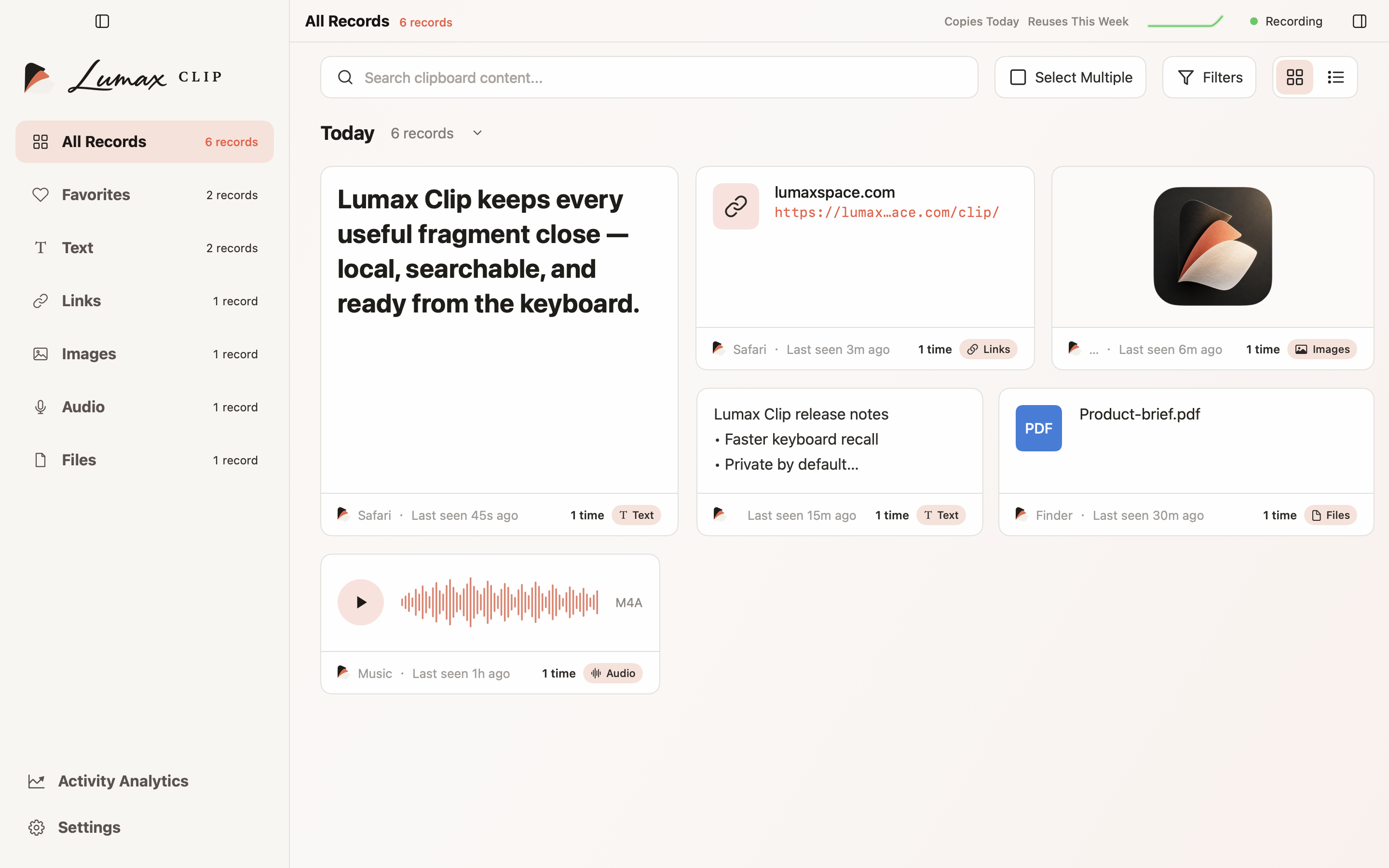
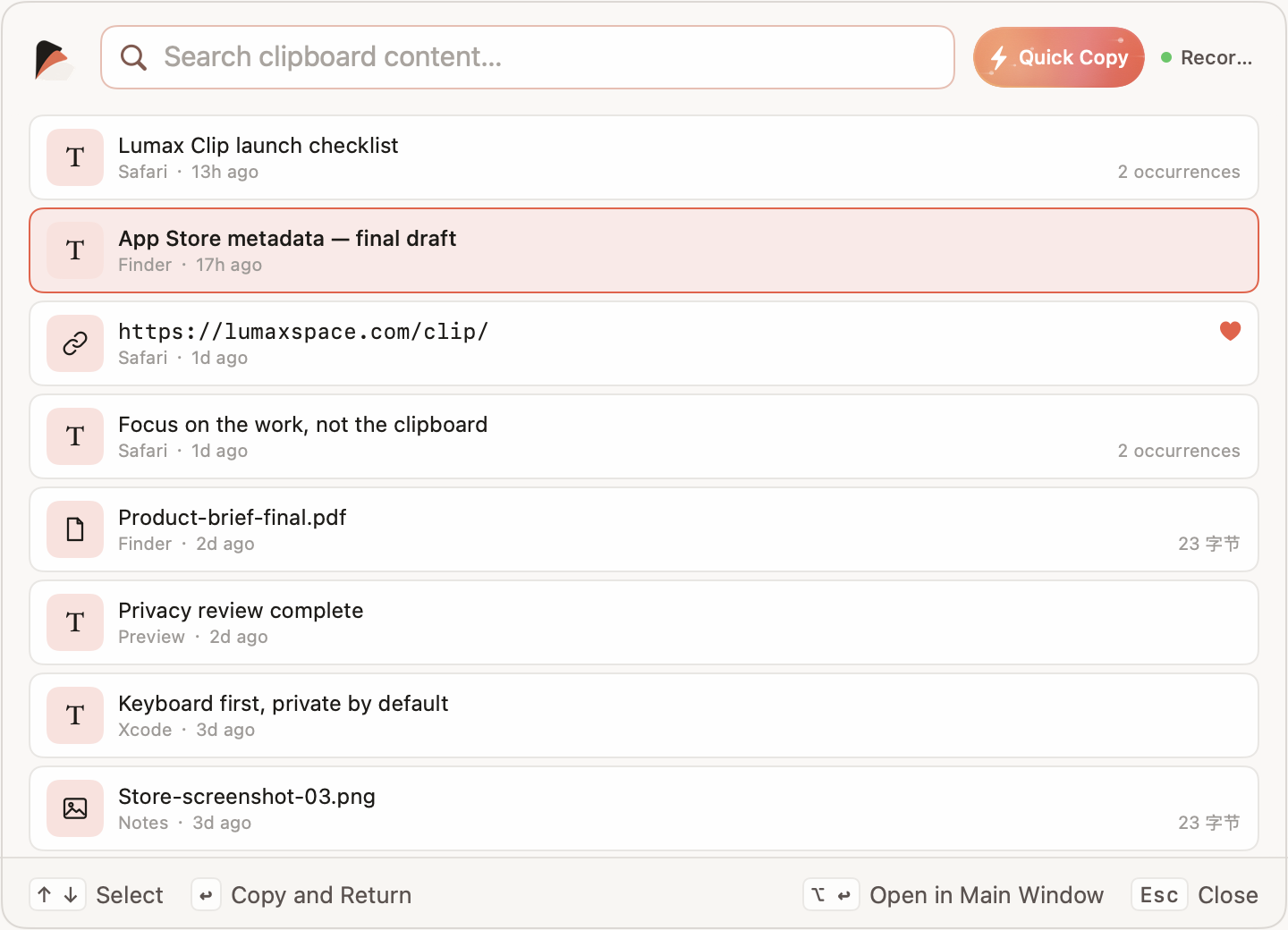
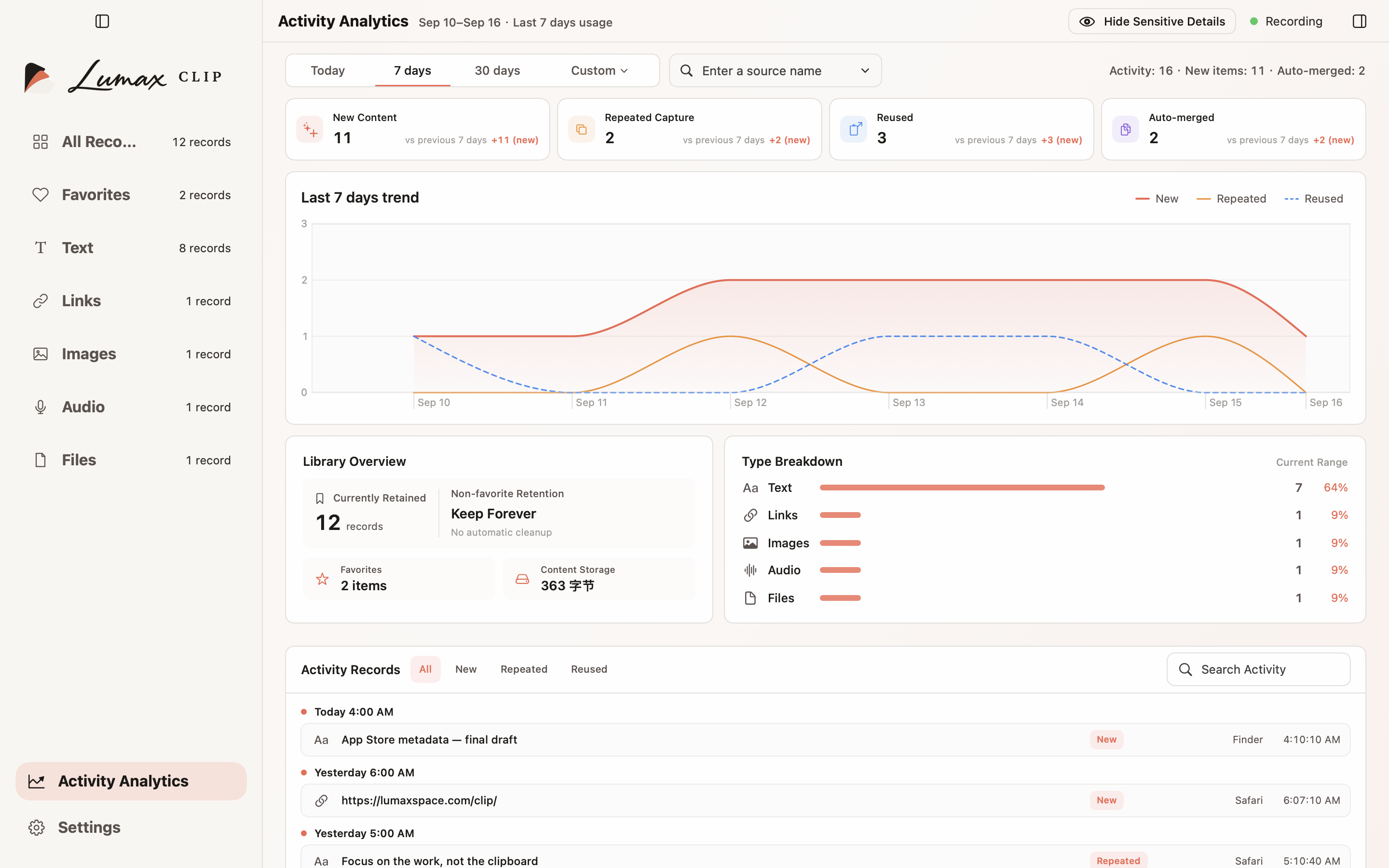
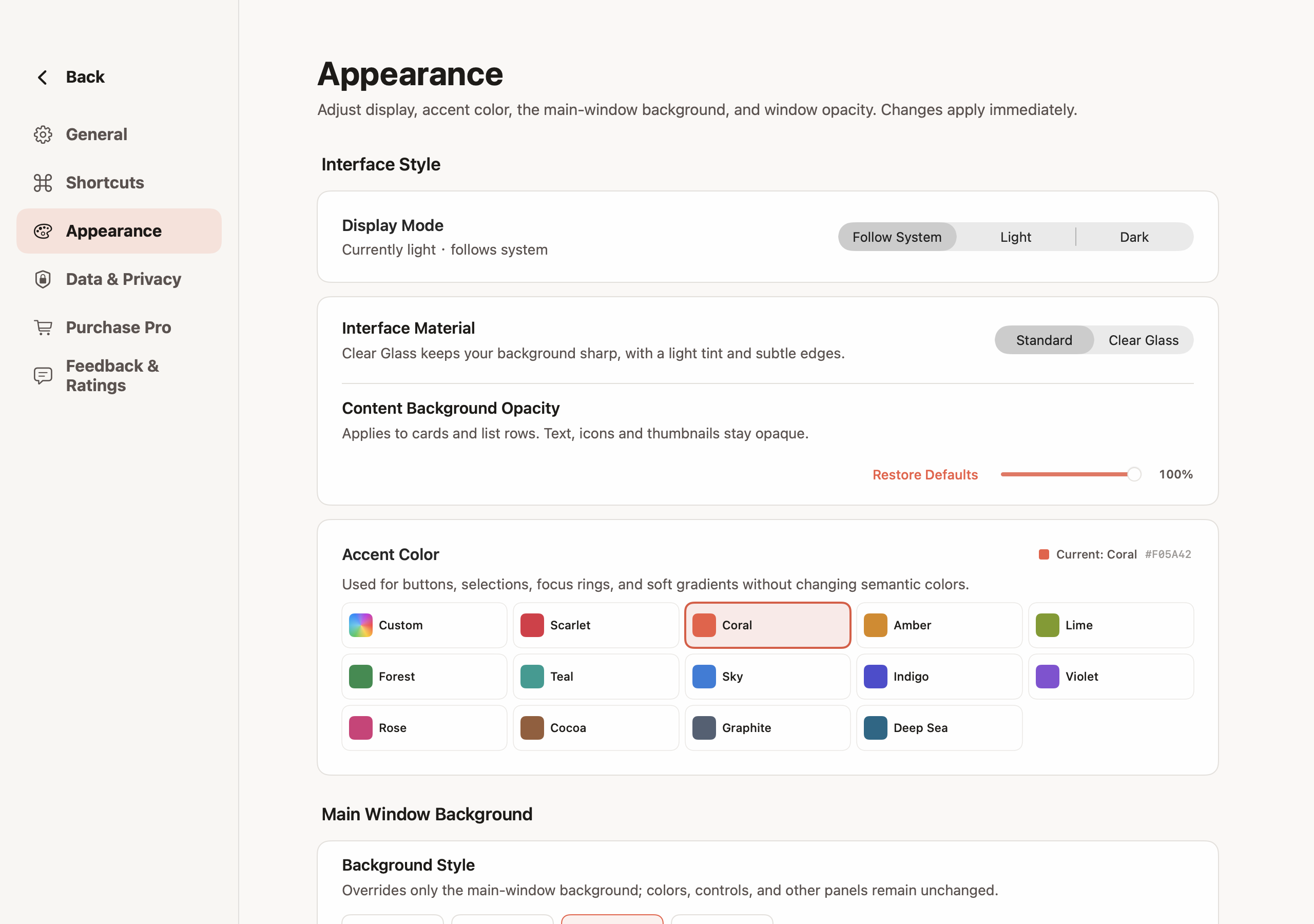
Actual app interface · isolated example content
Features
Use privacy exclusions and sensitive-content filtering to reduce what enters history, or pause history saving whenever you need.
Matching captures stay together instead of filling the library with duplicates, while occurrence details preserve useful context.
Switch between cards and lists, inspect details, select multiple records for batch actions, and keep important items as favourites.
Choose a display mode and interface scale, work in any of 35 interface languages, and use macOS accessibility support.
Basic has a 500-item capacity, including favourites. In normal use at capacity, the oldest non-favourite makes room for the next item; favourites are protected from this rotation.
Menu bar access, a global shortcut, launch at login, system appearance, and precise keyboard control help Lumax Clip feel at home on macOS.
Editions
Free
Everything needed to capture, find, reuse, and manage clipboard history on your Mac.
One-time purchase
More control over capacity, retention, appearance, and the way you understand your local activity.
Pro is a single, non-consumable purchase—never a subscription. Permanent retention still depends on available disk space, your privacy settings, and anything you choose to delete. Lumax Clip is not a backup service.
Privacy
What Lumax Clip handles, where it is stored, and which services it connects to—on one label.
Where data lives and who it talks to
Data handling
Connects to
Questions
Lumax Clip is available on the Mac App Store. The Basic edition is free; Pro is an optional one-time in-app purchase. The App Store listing shows whether it is offered in your storefront.
Lumax Clip requires macOS 14 or later. The app includes 35 interface languages; this website is available in English and Simplified Chinese.
The 500-item total includes favourites. Normally, a new item replaces the oldest non-favourite. Favourites are never removed by capacity rotation. If all 500 items are favourites, saving new history pauses. If existing history is already above 500, those items are kept and new saving pauses until you manually bring the total back within the limit. Neither pause disables the macOS system clipboard.
No. Pro is a non-consumable, one-time purchase with no monthly fee, annual fee, or automatic renewal. The regular U.S. price is USD 6.99; Apple shows the applicable local price, currency, and tax in other regions at purchase.
Apple StoreKit handles purchases, restores, and transaction verification. Restore Purchases checks eligible transactions for the Apple Account used for App Store purchases; no UUThings account is required. If Apple confirms a refund or revocation, Pro access may end, but existing history and favourites are not bulk-deleted. Pro appearance preferences remain stored and can be applied again after access is restored.
No. Clipboard history and Activity Analysis stay on your Mac, and the app has no third-party advertising or usage-analytics SDK. StoreKit may connect to Apple for commerce, but Lumax Clip does not upload clipboard content to the developer as part of that process.
No. A file entry may keep only a reference to the original local file. Moving, renaming, deleting, or losing access to that file can make the reference unavailable; Lumax Clip is not a file backup tool.
Not at the moment. Export is being considered for a later version, with no promised date. OCR and AI are not part of the current version.
It applies to later Pro features added to Lumax Clip under this purchase. It does not promise licences for separate future products, other platforms, or Family Sharing.
More